My KPOP Shop Player Checklists & Tools
Practical lists you can follow in-session—not software downloads—for daily play, boosts, and shop health.
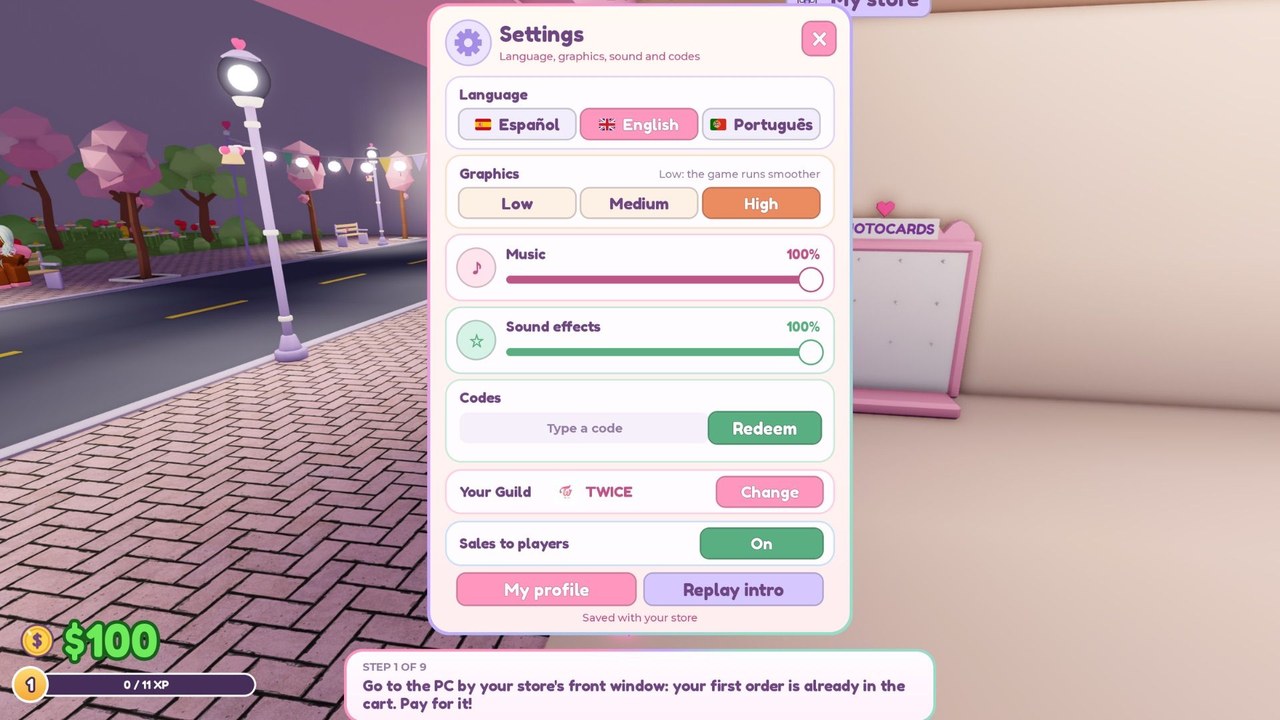
This Tools Hub is a set of practical checklists for My KPOP Shop—not executor downloads, not desktop apps, and not shady browser extensions. Use these lists as in-game “tools”: short routines that keep earnings high, prevent empty-shelf disasters, and make 2x Money codes actually pay off. Pair them with the Guides Hub when you need deeper systems explanation.
Print them mentally, keep them in a second monitor note, or skim before you redeem a boost. Consistency beats random clicking.
Daily login checklist
Run this every time you join, even for a short session:
- Claim daily rewards before you wander into décor mode.
- Check offline earnings and decide whether to dump them into staple stock or a missing hire.
- Scan shelves for empty albums, lightsticks, or other staples—refill before chatting.
- Glance at staff coverage — is restocker / cashier / guard doing their jobs, or are you soloing three roles?
- Peek at codes news — open the Codes Hub or Discord if you have not checked this week.
- Note sales ranking position if you are climbing; plan one focused push later, not a distracted AFK sit.
- Invite a friend if you will play for a while—the +10% earnings bonus per friend stacks and costs nothing but coordination.
Skipping daily rewards and offline cash is free progress left on the table. Skipping a shelf scan is how “short logins” become zero-sales logins.
First-hour checklist (new or reset mindset)
Use this when you are new, returning after a long break, or teaching a friend:
- Finish tutorial prompts and find Settings (you need it for codes).
- Redeem KPOPSHOP for $150 cash if available—see Codes.
- Spend first cash on staple stock, not vanity furniture.
- Learn the restock route from storeroom to main displays.
- Practice one thief catch so panic later is muscle memory.
- Clear at least one full checkout cycle yourself before hiring.
- Hire the role that matches your first bottleneck (often Restocker)—Staff Priority.
- Only then open photocard packs with surplus—Product Priority.
- Skim Getting Started for anything you still do not recognize.
- Set a simple goal for hour two: guard hire, theme starter, or ranking push.
The first hour is for building a loop that prints money. Collection fantasy comes right after the loop works.
Pre-2x-boost checklist
Before redeeming 250LIKES or MONEYPLEASE (30 minutes of 2x Money):
- Shelves full — especially high-traffic staples.
- Cash reserve for at least one emergency restock mid-timer.
- Staff online — restocker and/or cashier preferred; guard if theft has been heavy.
- Friends invited — stack +10% friend bonus on top of 2x when possible.
- Roles assigned in co-op (restock / register / security) so nobody all AFKs in the photo corner.
- Distractions apps closed — thirty minutes is short if you alt-tab for twenty.
- Thief path awareness — know where you run when a steal starts.
- Goal picked — packs after surplus, guard hire, or ranking climb; do not redeem “just because.”
- Second boost saved if you cannot play a full hour—do not waste both multipliers in one distracted sitting.
- Timer started only when ready — paste in Settings, confirm, then immediately restock and sell.
A 2x window on an empty, understaffed shop is a placebo. A primed shop turns the same code into permanent upgrades. Money tactics continue in the make money guide.
Shop health checklist
Run this mid-session or whenever earnings feel “off”:
Stock
- Are staple displays empty more than once every few minutes?
- Do you have a cash buffer for restock, or are you pack-broke?
- Is variety nice—but only after staples are safe?
Staff
- Which failure happens most: empty shelves, checkout queues, or theft escapes?
- Does your hire order still match that failure? Recheck Staff Priority.
- Are you paying for a role you personally already cover well in short sessions?
Thieves
- How many escapes in the last ten minutes?
- Are chases pulling you off register during peak sales?
- Would a guard wage cost less than the losses you just took?
Décor / themes
- Did furniture purchases happen while shelves were empty? (Fix stock first.)
- Does the layout shorten restock walks, or only look good on camera?
- Are co-op guests moving pieces without asking?
Social / rankings
- Is friend bonus active when you care about income?
- Are you grief-free on public servers while still competing fairly? (Players Hub)
- Any patch this week that changed economy assumptions? (Updates)
If three or more health boxes look bad, stop opening packs and run a recovery loop: restock → clear queues → catch thieves → then spend.
Mini tools board (quick reference)
| Tool | When to use | Linked help |
|---|---|---|
| Daily login list | Every join | Codes, Updates |
| First-hour list | New players / resets | Getting Started |
| Pre-2x list | Before money codes | Codes, make money |
| Shop health list | Earnings feel wrong | Tier List, Guides |
What this hub is not
- Not a script executor marketplace—see honest status on Scripts.
- Not an official Chuuves toolkit.
- Not a replacement for reading patch notes when systems change.
Bottom line
Treat these checklists as lightweight tools: daily claims, first-hour discipline, boost preparation, and shop health audits. Use them with Codes and Guides, keep shelves honest, and your multipliers will finally feel like multipliers.
Frequently Asked Questions
Quick answers for My KPOP Shop players.
Are these downloadable software tools?
No. They are in-game checklists and routines—not executors, mods, or desktop apps.
What should I do every login?
Claim dailies, check offline earnings, scan shelves, confirm staff coverage, and look for new codes if you have not this week.
When do I use the pre-2x checklist?
Right before redeeming 250LIKES or MONEYPLEASE, so the thirty-minute multiplier hits a stocked, staffed shop.
What does the shop health checklist catch?
Empty stock, bad staff order, theft losses, décor overspending, and social/ranking issues that quietly kill income.
Where do I go for deeper help?
Use the Guides Hub for walkthroughs and the Codes Hub for active redeemables after you run the matching checklist.