My KPOP Shop Decorate & Group Themes
Expand the floor, unlock furniture as you level, and theme the shop around your favorite groups.
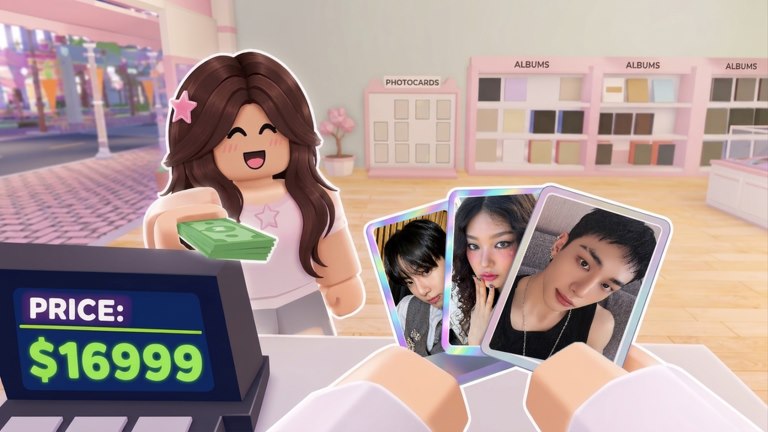
Decoration is how My KPOP Shop becomes your store instead of a generic box of shelves. Expanding the floor, unlocking furniture as you level, and theming displays after favorite groups all feed customer appeal—while the same loop of stocking, serving, and protecting still pays the bills. This guide covers expansion, level-gated furniture, group theming, and when to decorate versus when to restock.
If the shop still feels chaotic, stabilize with Getting Started and How to Make Money before a full redesign.
Expand when the loop can support it
Expansion adds space for more product, better layouts, and showpiece furniture. Bigger floors also mean more walking, more shelves to watch, and more ways for thieves to hurt you if you expand before staffing. Grow when:
- Shelves in the current footprint stay stocked through a normal rush
- You have at least one helpful hire or a reliable co-op partner
- Cash buffers exist beyond the next restock
Expanding into empty, unguarded space is a vanity trap. Expand into space you can operate.
Furniture unlocks through leveling
Leveling in My KPOP Shop unlocks better products and furniture. Products raise what you can sell; furniture raises how the shop looks and functions as a themed space. Play the core loop—stock, serve, catch thieves, hire, sell packs/albums/lightsticks—to earn levels. Do not expect a full idol-cafe makeover on hour one.
Spend unlocks in two buckets:
- Functional furniture — pieces that support clearer paths to the register, better display of bestsellers, or cleaner restock routes.
- Theme furniture — pieces that scream your favorite group’s vibe for screenshots and immersion.
Functional first keeps money healthy; theme second makes the wiki screenshots and your pride match. When staff cover the floor (Hire Staff), you finally have time to place pieces carefully instead of dropping chairs during a thief chase.
Theming after favorite groups
Group themes are the fantasy layer: color stories, poster energy, lightstick culture, and display choices that feel like a fan store for the acts you love. Pick a primary theme so the shop reads clearly from the door. Mixed shrines can work later; early on, one strong identity beats five half-finished corners.
Practical theming tips:
- Put hero displays where fans walk first
- Keep purchase paths to the register obvious—pretty mazes slow sales
- Restock routes should not require parkour through props
- Match shelf product to the theme when possible so merch and décor agree
- Revisit themes after big level unlocks instead of rebuying everything weekly
Themes support customer appeal: a coherent, lively shop encourages browsing energy. Appeal still needs product. A stunning empty shelf is just a museum.
Decorating without killing sales
Build mode is attention-expensive. Before a decorate session:
- Restock fully
- Confirm restocker / cashier / guard as needed
- Optionally invite a friend to watch the floor (Co-op)
- Avoid starting right after redeeming a 2x money code—sell first, decorate after
If you must decorate solo with no staff, do it in short bursts between customers, or during naturally quiet minutes. Never leave a half-blocked register path.
Layout ideas that respect the loop
- Front: bestsellers and themed focal displays
- Mid: albums, lightsticks, pack faces
- Register: clear approach, no prop clutter
- Edges: overflow stock and secondary theme corners
- Sightlines: you (or a guard) should still spot thieves across the main floor—see Catch Thieves
As you expand, rebuild sightlines. Pretty walls that hide theft are expensive art.
Budgeting décor against packs and staff
A healthy session budget still ranks restock and staff above furniture, with packs and décor competing for surplus—see pack economy notes in Photocard Packs & Binder. After wages are stable, alternate: one session heavy on binder opens, one session heavy on theme furniture. Ranking climbs and offline earnings care more about operable stock than sofa count.
Daily rewards and codes (Codes) can fund a décor day; just do not spend the emergency restock reserve on a rug.
Progression roadmap
- Operate a plain but stocked shop.
- Hire so you can leave the till safely.
- Unlock furniture and products through levels.
- Expand into space you can staff and watch.
- Theme around a favorite group with clear paths.
- Polish with advanced pieces as unlocks continue.
When décor is “done enough”
Done enough means fans can browse, pay, and feel the theme without you needing a tutorial to navigate your own store. Perfect symmetry can wait. Return after updates add furniture or products; My KPOP Shop is actively updated, so leave room in the budget for new drops instead of maxing every slot on day two.
Decoration is the celebration of a working tycoon loop. Keep shelves honest, thieves honest-to-goodness caught, and staff paid—then make it look like the K-pop shop you always wanted to clock into.
Frequently Asked Questions
Quick answers for My KPOP Shop players.
When should I start decorating my shop?
After shelves stay stocked through a rush and you have staff or a friend covering the floor. Decorate with surplus cash, not the restock reserve.
How do I unlock more furniture?
Level up by playing the shop loop—stocking, serving, hiring, and selling. Levels unlock better products and furniture over time.
Do group themes increase earnings directly?
Themes boost customer appeal and immersion. Earnings still depend on stocked shelves, fast service, low theft, codes, and co-op bonuses.
Should I expand the shop early?
Expand when you can operate the new space—stock it, watch it for thieves, and staff it. Empty expanded rooms drain focus and cash.