My KPOP Shop Official Links
Roblox experience, group, Discord, and the wiki hubs worth bookmarking.
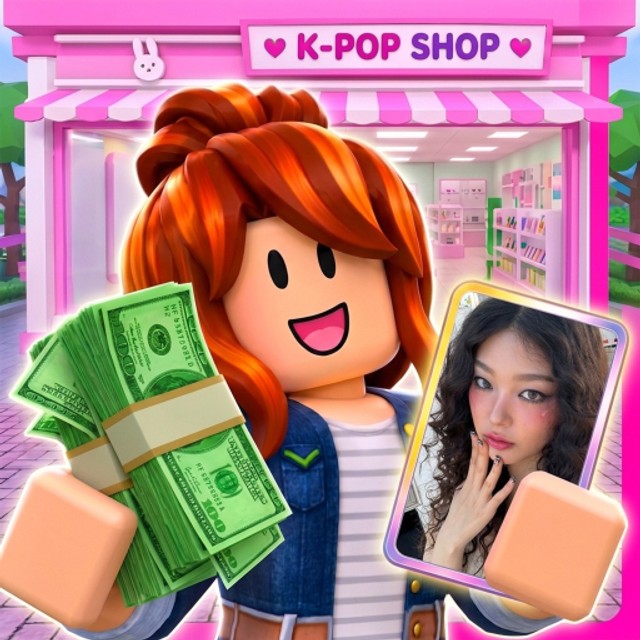
This Links Hub gathers the official and community destinations every My KPOP Shop player should keep handy: the Roblox experience page, the Chuuves group, the Discord where codes and patch notes appear first, and the wiki hubs that turn those announcements into actionable guides. Bookmark this page if you are tired of hunting invites in random chats.
We are an unofficial fan wiki. Always verify codes in-game Settings and treat Discord announcements as the primary live source when something conflicts.
Official Roblox destinations
- Play My KPOP Shop — roblox.com/games/128223803884544/My-KPOP-Shop. Like and favorite the experience to support milestone codes (developers have teased rewards around 2500 likes and 5000 favorites).
- Chuuves group — roblox.com/communities/886777899. Follow the creator group for related experiences and social proof.
- Place / universe IDs — Place
128223803884544, universe10772459222. Useful when sharing the correct game in Discord or friend invites.
The experience description still lists working promo hooks such as KPOPSHOP for $150 and 250LIKES for 2x cash, plus weekly update promises. Confirm live strings on the Codes Hub.
Official Discord
Join the community Discord: discord.com/invite/DXgBEaQ5RZ.
Use Discord to:
- Catch new code drops the same day they ship.
- Read patch / weekly update notes before they are summarized here.
- Ask clarifying questions about staff, packs, or bugs.
- Avoid fake “codes” posted in random server chats elsewhere.
After Discord announces something, cross-check redeem steps on Codes and chronology on Updates.
Essential wiki hubs
- Codes — working redeemables, Settings steps, failure reasons.
- Guides — stocking, staff, thieves, packs, themes, co-op, controls, dailies, leveling, super fans.
- Tier List — product and staff priority rankings.
- Players — player-facing tips and roster-style notes.
- Updates — launch history, November code wave, milestone tracking.
- Scripts — honest script risk notes (verify everything yourself).
- Tools — helper checklists and wiki utilities.
- Wiki overview — what this site covers.
New managers should open Getting Started immediately after saving these links.
How to share the game safely
When you invite friends:
- Send the official Roblox experience URL above—not a random mirrored link.
- Tell them to claim daily rewards and redeem codes in Settings, never in chat.
- Point them at Co-op & Friends so they understand the +10% earnings per friend bonus.
- If they want staff help, share Hire Staff instead of spoiling every mechanic in voice chat.
Staying current without burnout
You do not need twenty tabs. Keep four:
- Roblox game page (like/fav + play).
- Discord announcements.
- This Links Hub.
- Either Codes or Guides depending on your session goal.
Weekly updates mean menus and merch can shift. If a button moved, use Controls. If a product feels weak after a patch, re-check tier lists and Updates before assuming the wiki is wrong.
Trust and safety notes
- Never enter Roblox passwords into third-party “code generator” sites.
- Prefer in-game Settings redemption only.
- Treat executor / script links with extreme caution; read Scripts first.
- This wiki does not sell Robux, accounts, or guaranteed rare pulls.
Bottom line
Official play link, Chuuves group, Discord invite, and the wiki hubs above are enough to stay current. Save them once, then spend your time running the shop—not searching for the correct URL in a busy lobby.
Frequently Asked Questions
Quick answers for My KPOP Shop players.
What is the official My KPOP Shop Discord?
Join discord.com/invite/DXgBEaQ5RZ for codes, updates, and developer messages.
Where do I play the game?
Open the Roblox experience at roblox.com/games/128223803884544/My-KPOP-Shop.
Why should I like and favorite the game?
Developers have teased next codes around 2500 likes and 5000 favorites. Social milestones often unlock free rewards.
Is this wiki official?
No. It is an unofficial fan resource. Verify codes in-game and treat Discord as the live announcement source.
Which wiki page should new players open first?
Getting Started, then Codes, then the Guides Hub linked from this page.